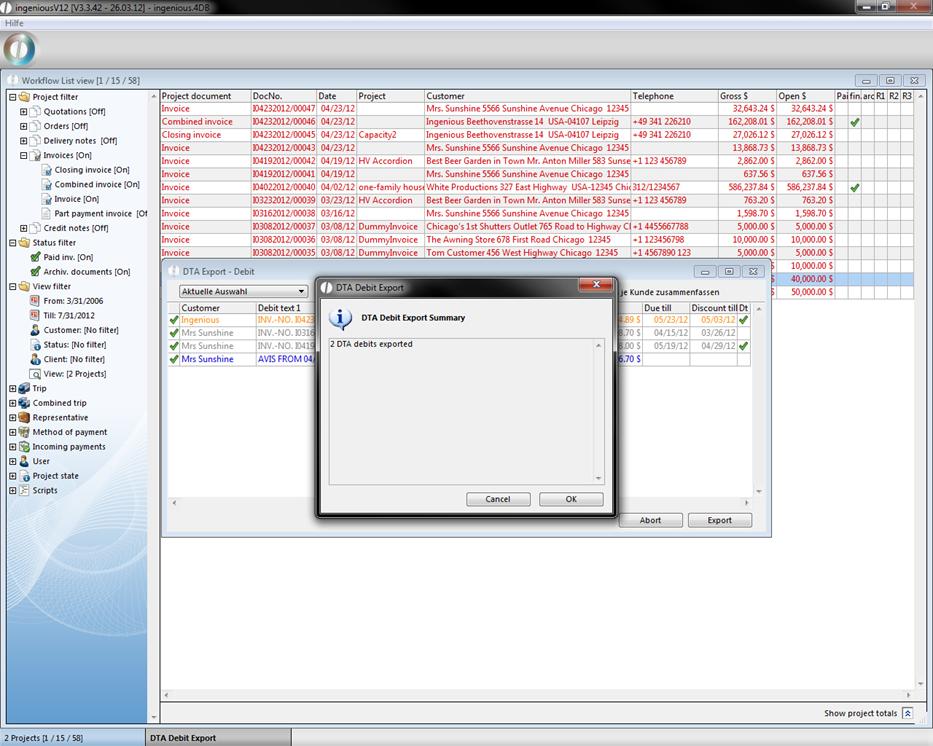
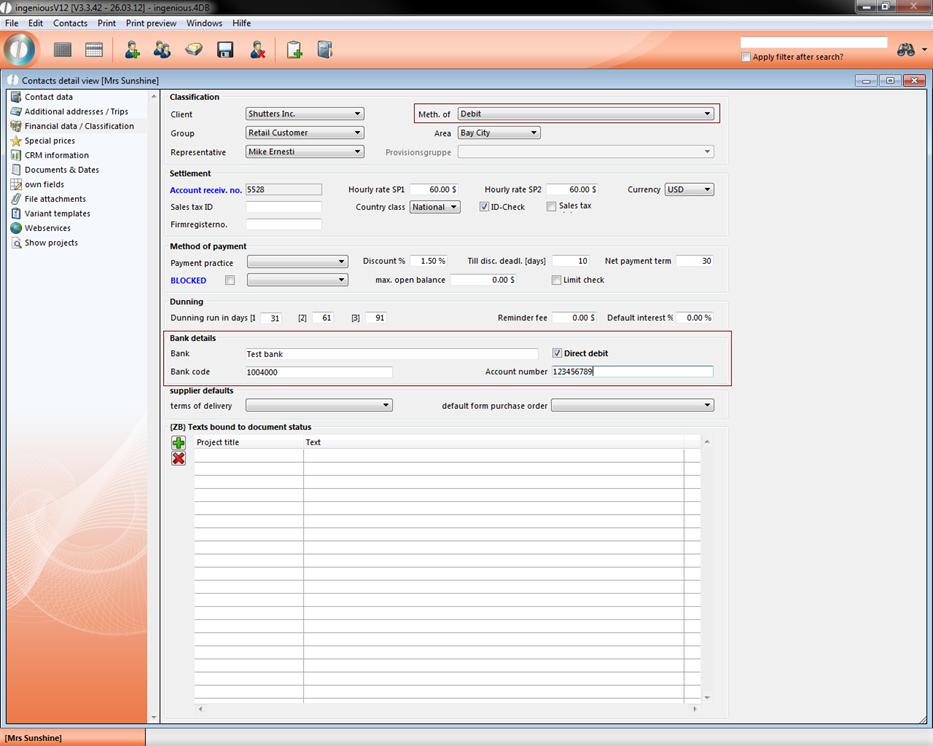
The DTA debit export allows the transfer of invoice debits that are drawn from contact in different online banking software systems. In order for this to be possible, the bank account must be entered and the contact and the bank collection must be activated. In the detail view of the invoice, the option, “Debit” must be selected in the field, “Payment type” in the “Payments” column.
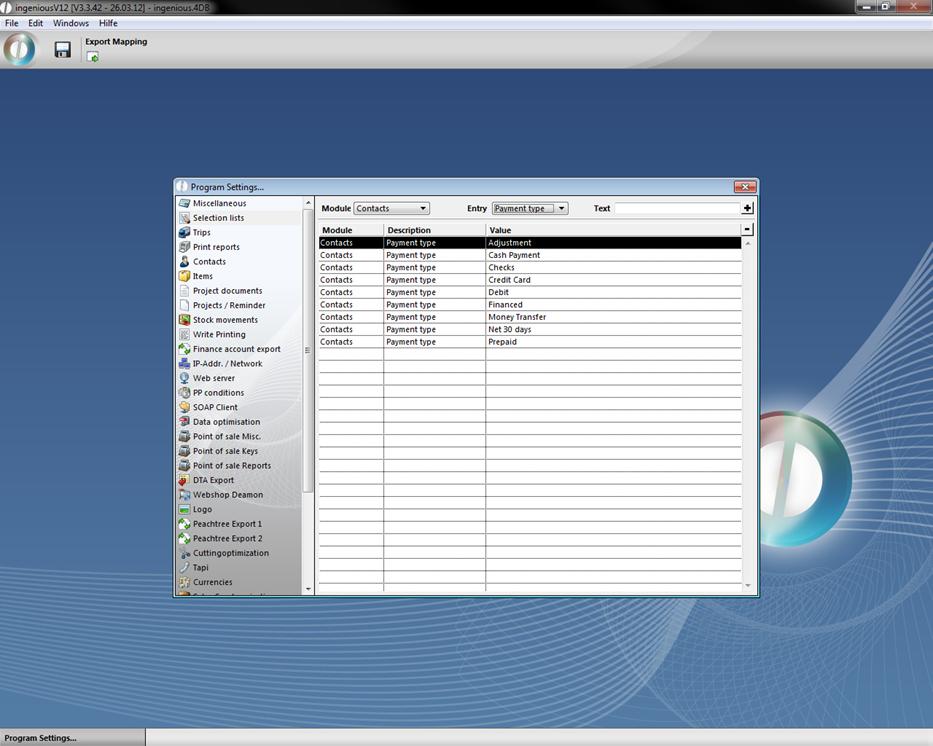
In case the option, “Debit” is not available, it can be created as a new entry through the program settings in the “Selection lists” column.
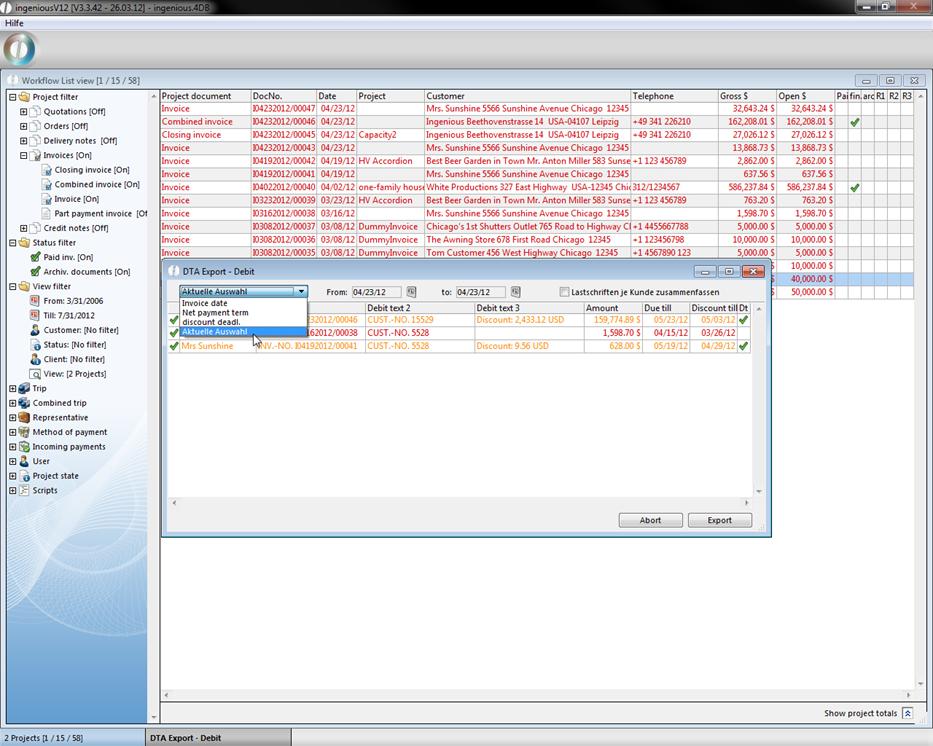
If you have carried out all settings and if you choose the debit DTA export, the corresponding window opens. The export manager generates a list of all possible debits and automatically enters the amounts and texts.
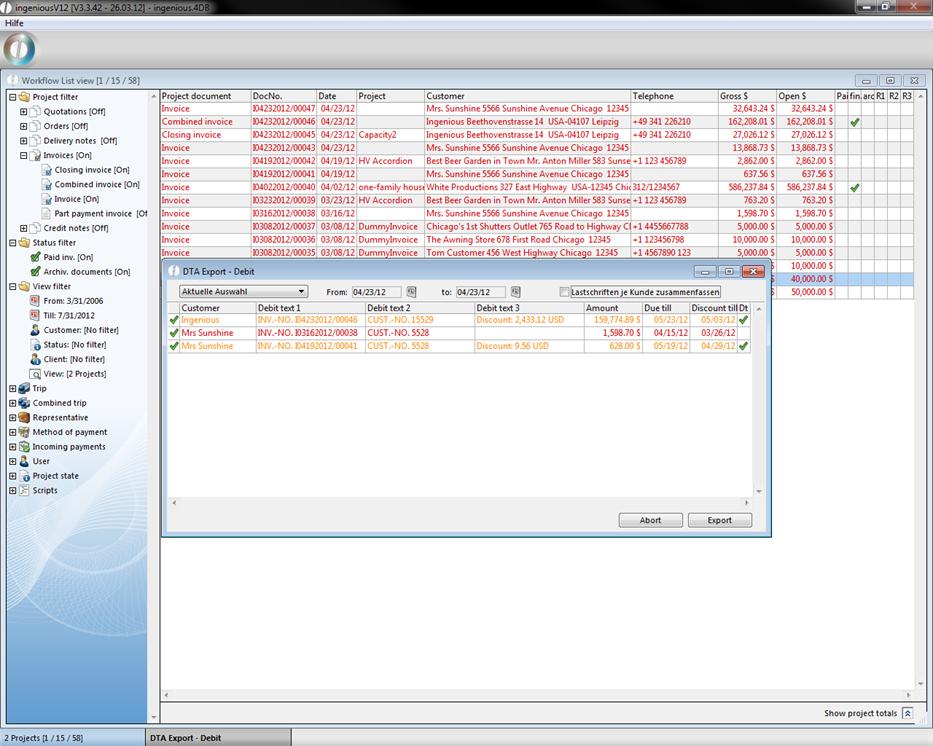
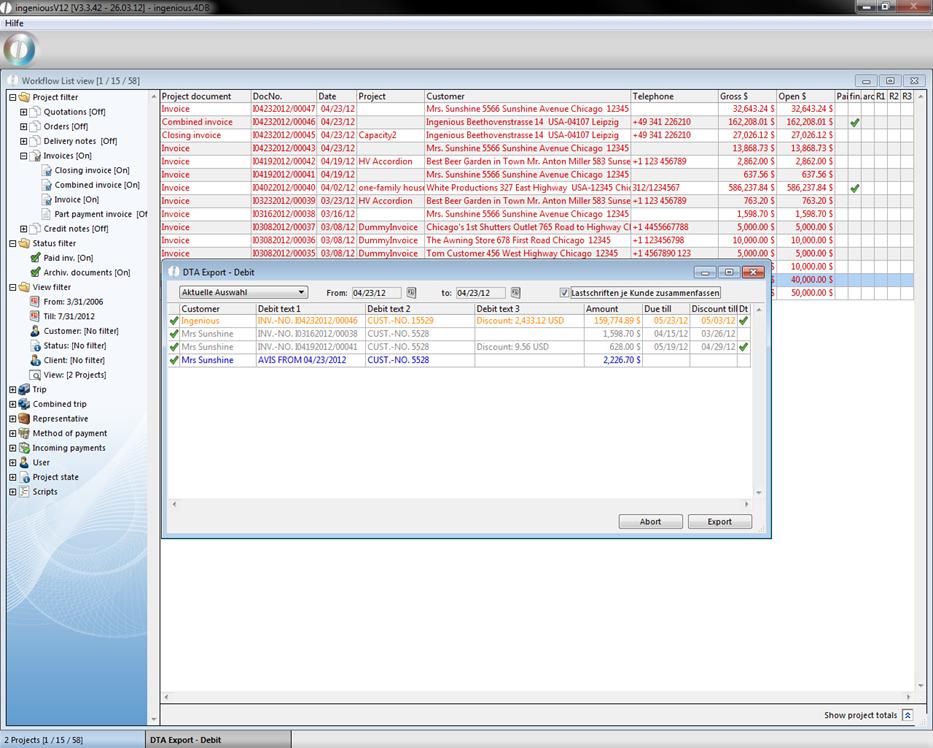
The single position of the list is colored according to urgency. It is thus easy to recognize whether a transfer is urgent (red) or whether discount payment was possible (orange). The desired debits are selected with a mouse click and can then be imported into the bank software.. Important: In the program settings, enter the data of your bank account in the “DTA Export” area, otherwise an export is not possible.
In a drop down menu you have got the choice between four different display variants.
Check the field „Lastschriften je Kunde zusammenfassen“, when you want a combined export of the selected contact.
A click on the button “Export” will open up the windows default save dialog.